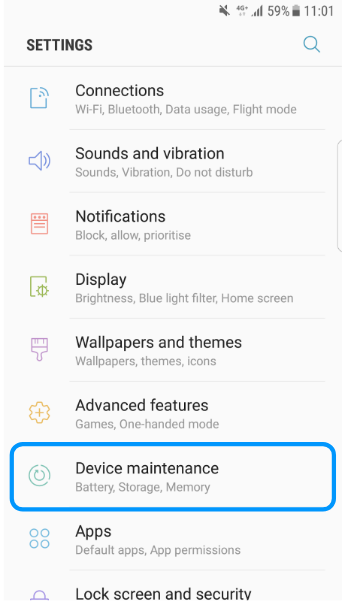
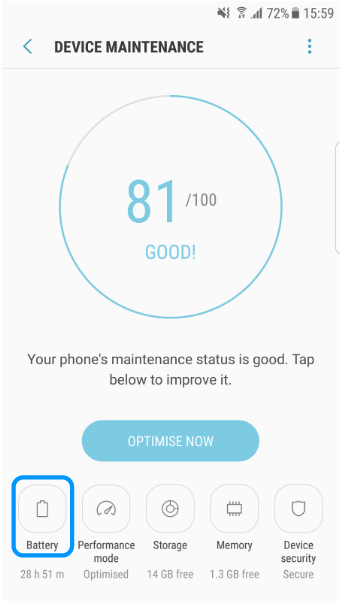
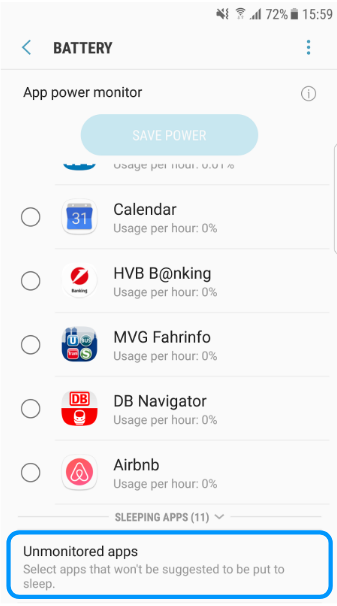
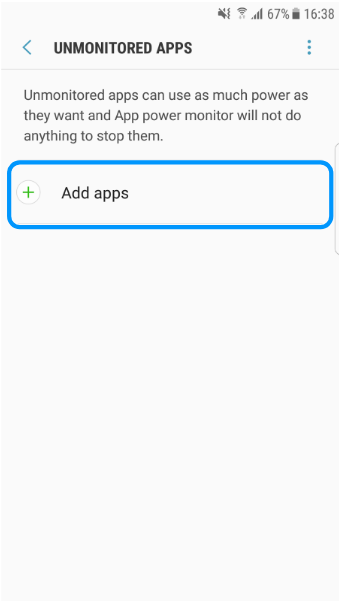
SAMSUNG - Android 7 - No Notification - Unmonitored apps Christian Grasser October 11, 2017 20:35 Updated Open Settings Enter the "Device maintenance" section Enter the "Battery" section Scroll down to enter the "Unmonitored apps" section Click on the "Add apps" button and select "COL Reminder" Related articles HUAWEI - EMUI 8.x - No Notifications SAMSUNG - No Notifications - App Power Save HUAWEI - EMUI 4.x - No Notifications - Protected apps Comments 0 comments Please sign in to leave a comment.

Comments
0 comments
Please sign in to leave a comment.