
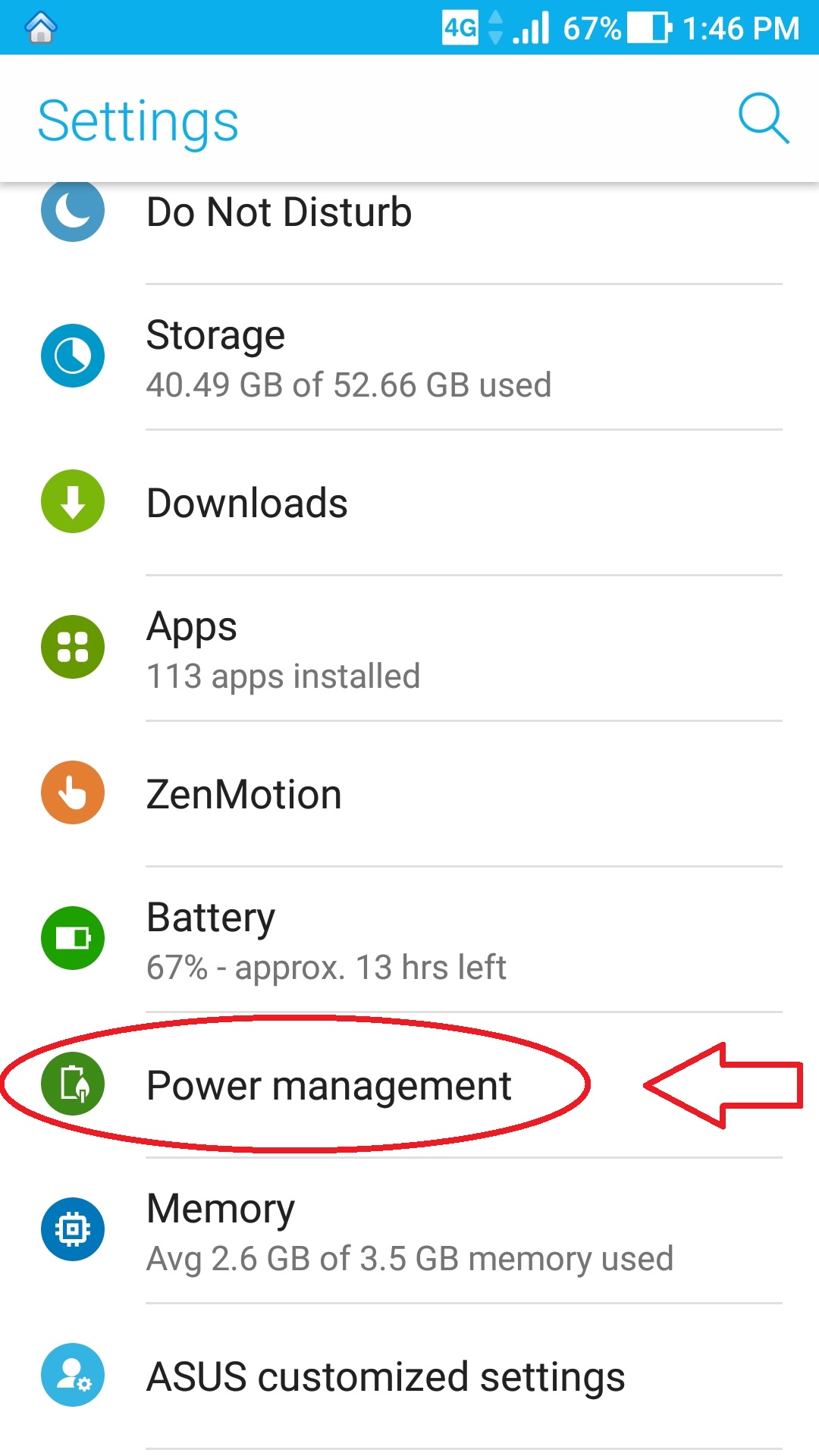
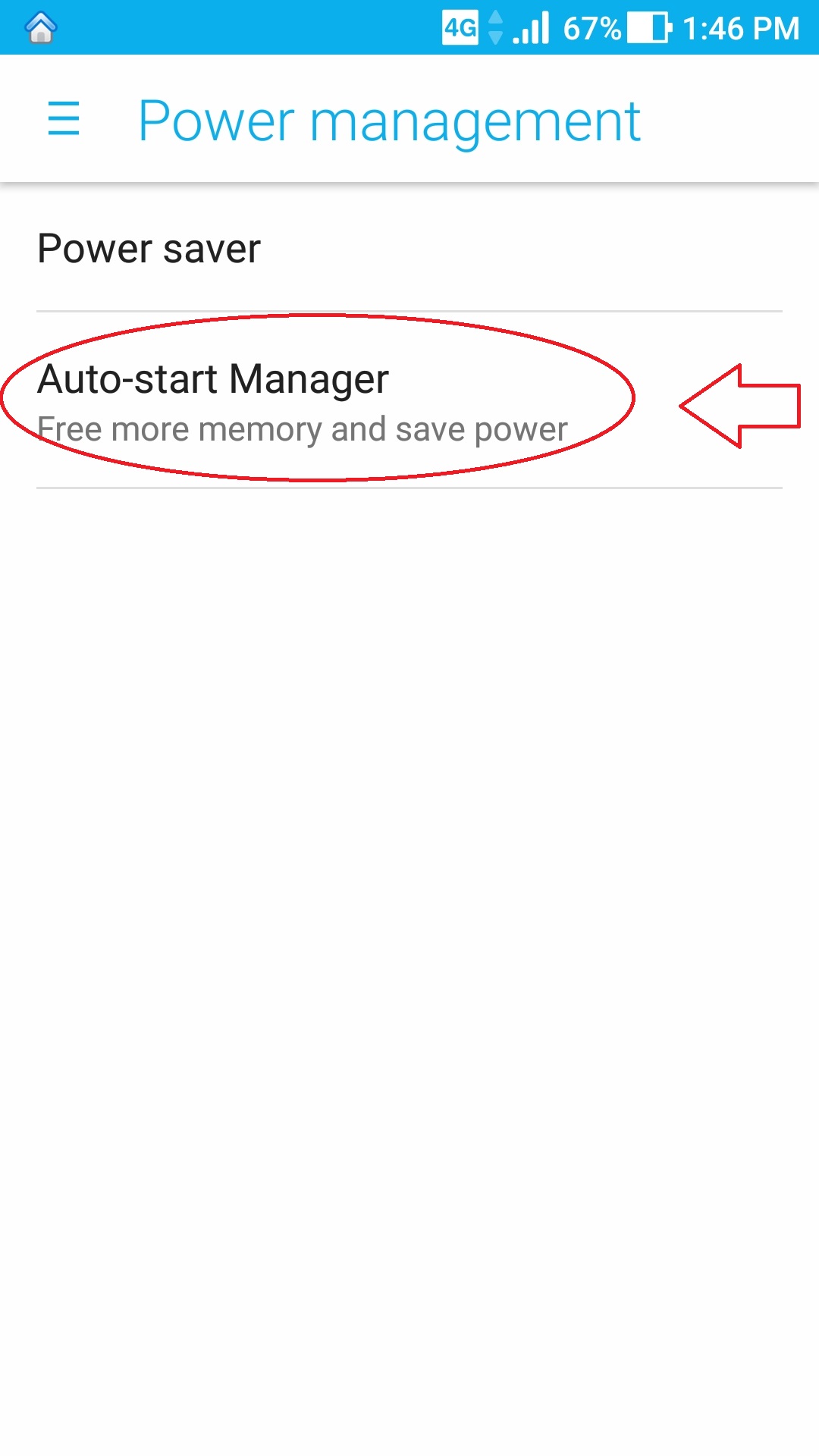
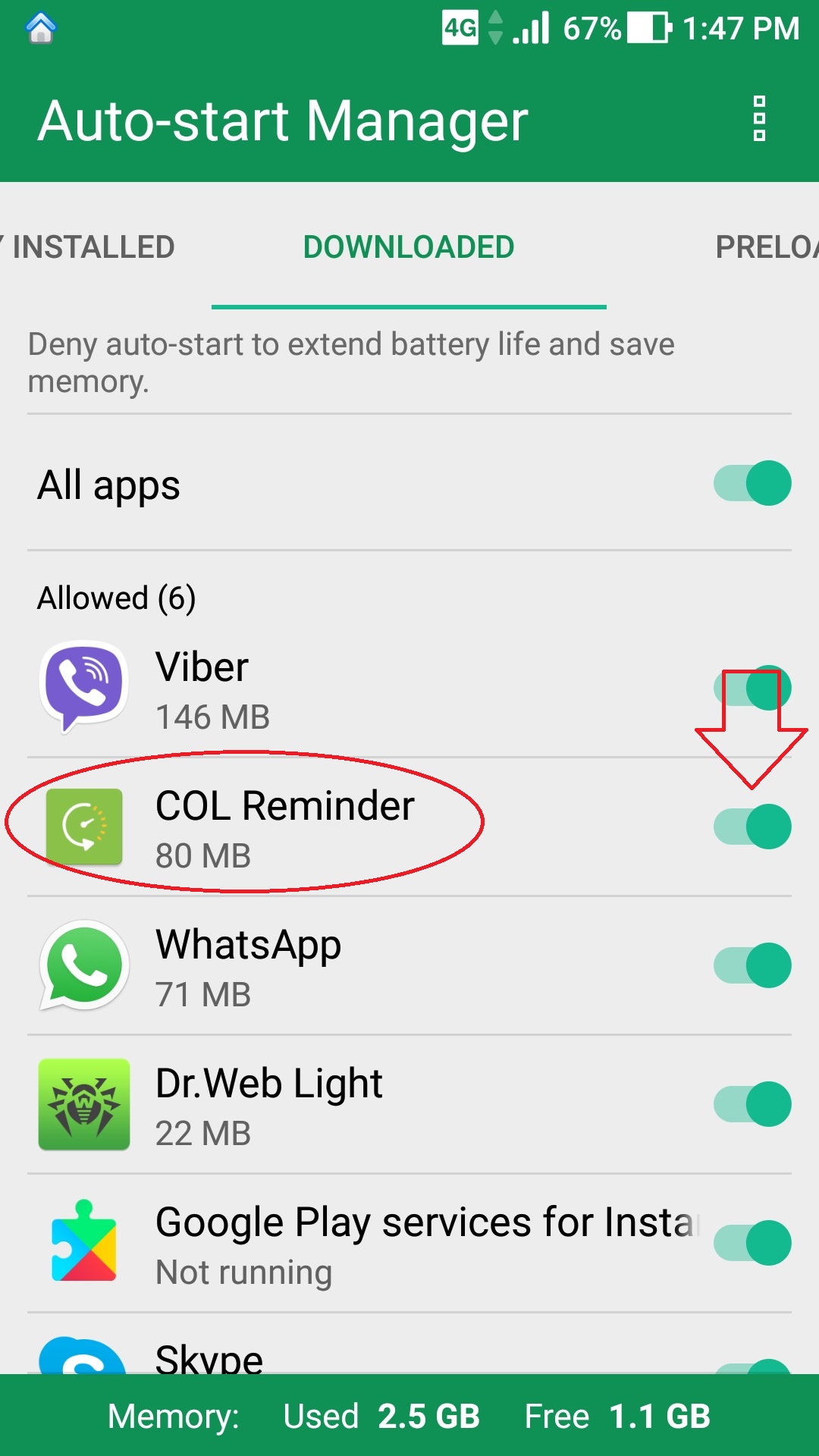
Settings ==> Power management ==> Auto-start Manager (Free more memory and save power) ==> Allowed apps
See thisgood article about the "AutoStartManager" explained on ASUS phones:
http://myzen.asus.com/2015/10/17/auto-start-manager-explained/
When you open the app "Auto-start manager", a list of downloaded and pre-downloaded apps will be featured with the switch on the right hand side.
1.) Settings / Power management
2.) Auto-start Manager
2.) Allowed apps - Enable "COL Reminder"
COL Reminder needs to have "Allow" otherwise it will not work.
“ALLOW” the apps you want to get notifications from (ie., SMS, email, facebook, twitter, clock/alarm).
Comments
0 comments
Please sign in to leave a comment.