
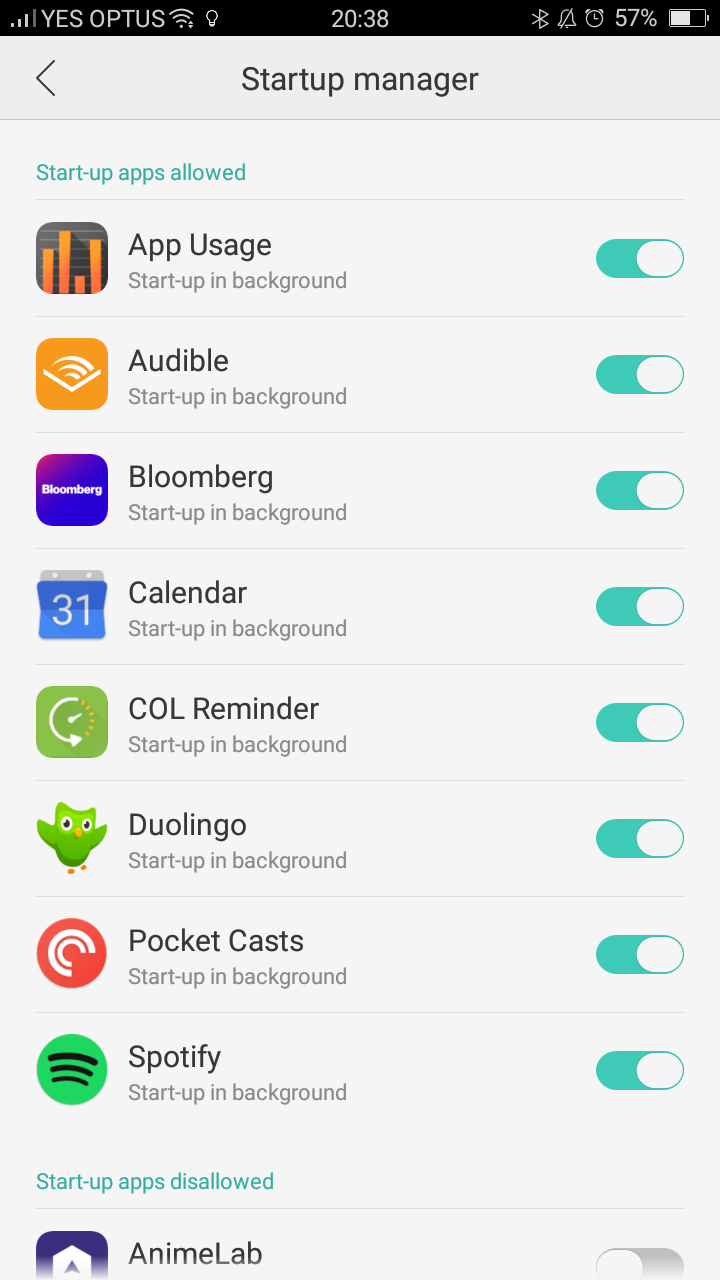
On the Oppo F1 you need to add COL Reminder to the "Startup Manager" to allow running in the background.

Go to "Security Center".
Click "Privacy Permissions"
Then "Startup manager"
And allow "COL Reminder" to run in the background.
----------------------------------------------------------------------------------
If it is still not working please check this steps:
Go to settings > Battery and Storage > Battery Manager > Tap on "Power consumption details" > Optimize for excessive power consumption.
Now uncheck all the apps you are facing issues with.
The tip is coming from this forum thread:
http://community.oppo.com/en/forum.php?mod=viewthread&tid=44670
Comments
0 comments
Please sign in to leave a comment.